
Boston Herald
MediaNews Group, Inc.News & Magazines
2.4375.00 Reviews
- Version
- 10.0.60
- Installs
- 50.00K
- Age Rating
- Everyone
Screenshots
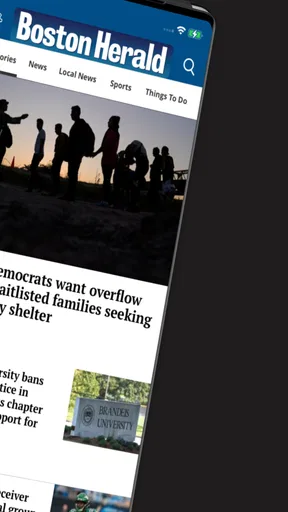
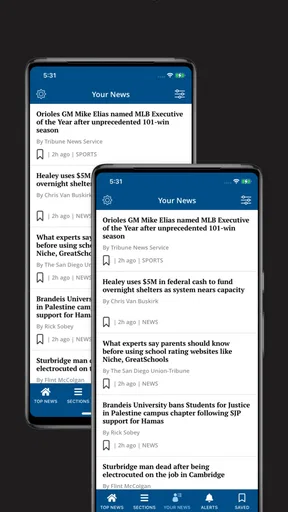
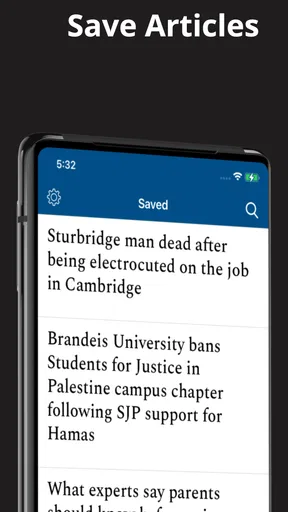
Our Review of Boston Herald
 Analysis by Appyee
I approached Boston Herald as a reader who wants local Boston coverage without turning a quick news check into a long search across the web. It is a free News & Magazines app from MediaNews Group, Inc., built around Boston Herald reporting and available to an Everyone audience. The basic appeal is straightforward: open one place, see what is happening around Boston, and decide which stories deserve a closer look.
That simplicity is also the key to judging it fairly. This is not an all-purpose news reader, a social feed, or a replacement for every source you already use. I found it most useful when I wanted a publication-focused view of Boston news. I found it less convincing when I expected a perfectly smooth, completely frictionless experience or a broad collection of viewpoints. The app has an average rating of 2.4 from around 930 ratings, so it is worth looking beyond the headline score and considering how you personally plan to use it.
What the app is really like in everyday use
The first thing I would tell a friend is to think of this as a digital doorway into the Boston Herald rather than as a general news dashboard. That distinction matters. If your daily routine is built around local headlines, regional reporting, and checking what has changed since your last visit, the focused approach can feel convenient. You do not need to begin with a blank browser tab or remember which section of a wider news service might contain Boston coverage.
On the other hand, readers who want national, international, business, technology, weather, and local reporting combined into one neutral stream may find the scope narrow. I would pair it with another source if you need a wider news picture. The app makes more sense as a publication-specific tool: useful for following the Herald’s coverage, but not something I would rely on as my only way to understand the day.
The app is free to install, although in-app purchases are listed from $11.99 to $139.99 per item. That makes it important to pay attention to any subscription or purchase screen rather than assuming every part of the reading experience is included without conditions. I prefer deciding deliberately whether a paid option fits my reading habits, especially if I only open a local news app occasionally.
Where readers are most likely to get stuck
The most common frustration with a publication app is not necessarily the news itself. It is the handoff between opening the app, loading current content, and reaching the article you expected. If a section appears empty, a story takes too long to open, or the app seems to show an older view, it is easy to conclude that the application is broken. I would first separate a content problem from a connection problem.
A slow or unstable connection can affect the initial feed and individual articles differently. The main screen may appear while a full story still waits to load, or a headline may be visible before images and other page elements finish. In that situation, repeatedly tapping the same story usually does not help. I get better results by waiting briefly, returning to the main view once, and trying again after confirming that other apps can reach the internet.
Another point of friction is expectation. A local news app may not update every section at the same moment, and a headline list is not the same thing as a live alert service. If you open it expecting a constant stream of breaking notifications, you may judge it harshly for doing what a reading-focused publication app normally does: presenting available coverage for browsing.
Search is another area where I would keep expectations practical. If you are looking for an older event, an exact phrase, or a story that has moved out of the most visible part of the feed, the quickest route may not always be obvious. I would try the app’s own navigation first, then use a normal web search for the Boston Herald and the subject if the story is not easy to locate. That is not a criticism of the reporting; it is a reminder that a focused app and a full website can serve different discovery needs.
Simple setup checks before blaming the app
Before settling into regular use, I would make a few low-effort checks. Confirm that the device meets the minimum operating-system requirement of version 8.0 or later, then install the current release, version 10.0.60. Keeping the app current is especially sensible for a news product because its usefulness depends on reliable content loading and compatibility with the phone’s software.
I would also open the app on both a reliable Wi-Fi connection and mobile data. If it works in one situation but not the other, the issue may be the network, a restrictive connection setting, or temporary congestion rather than the app itself. This small comparison can save a lot of unnecessary reinstalling.
After installation, give the app a moment to complete its first load instead of immediately closing it when the screen looks incomplete. If you have limited free storage or many apps competing for background activity, clearing a little space and closing unused applications can make troubleshooting more sensible. I would avoid changing several settings at once, because then it becomes difficult to know which change actually helped.
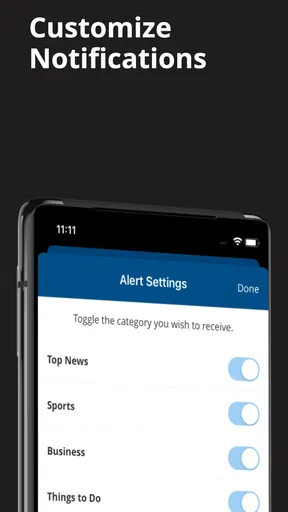
Notifications deserve a deliberate decision. If you want the app to help you notice new Boston coverage, check the phone’s notification settings after installation. If you prefer opening the app only when you choose, leave alerts off and use it as an on-demand reader. Neither approach is automatically better. Alerts can be useful during a busy day, but they can also turn a calm reading habit into a stream of interruptions.
I would not treat a purchase prompt as proof that installation failed. The app remains free to install, while the listed in-app purchase range indicates that some access or subscription choices may involve payment. Read the wording on the screen carefully, check the account being used for any purchase, and only continue when the option matches what you intended to buy.
A recovery workflow that avoids unnecessary resets
When something goes wrong, I use a simple sequence rather than jumping immediately to deletion. First, I check whether other websites or apps are loading. Next, I close and reopen Boston Herald once. Then I switch between Wi-Fi and mobile data, if available, and try the same page again. These steps distinguish a temporary connection issue from a problem that follows the app across networks.
If the feed opens but one article does not, I go back to the main screen and choose another story. A single unavailable page does not necessarily mean the whole app has failed. If several pages show the same behavior, I restart the phone and check that the installed version is current. I would also note whether the problem happens only with one section, only after returning from the background, or every time the app starts. That detail is useful if you need help later.
Reinstalling is a later step, not my first one. It can remove local app data and may require you to make account or purchase decisions again, so I would use it only after the simpler checks. Before doing that, I would make sure I know which account manages any paid access and that I am comfortable signing in again if the app requests it.
If a page repeatedly fails while other parts of the app work, I would record the article headline, the approximate time, and whether the failure occurred on Wi-Fi or mobile data. That is much more useful than reporting only that “the app is broken.” It also helps reveal whether the issue is tied to one piece of content, a network path, or the application more generally.
There is a practical trade-off here: resetting may restore a clean start, but it cannot fix a temporary publishing or network problem. I prefer to wait, test another story, and compare connections before taking a step that may create extra setup work. For a news app, patience during a short loading problem is often more efficient than repeatedly clearing everything.
When the app may not be the cause
News delivery depends on more than the software installed on a phone. A weak signal, an overloaded network, a device running low on storage, or aggressive battery restrictions can all make an app appear unreliable. If Boston Herald is slow while other content-heavy apps are also struggling, I would investigate the phone or connection first.
It is also possible for the content experience to feel disappointing even when the application is functioning normally. A reader may open the app expecting a particular story, but the publication’s current selection may have moved on. That is a content preference issue, not a loading failure. In that case, I would use the app for the Herald’s current coverage and keep a broader news source available for comparison.
Publication focus can be a strength when you care about Boston-specific reporting, but it can feel limiting if you want several editorial perspectives in one place. I would not use this app alone for decisions that require a complete picture. Comparing important stories with another reputable source is a sensible habit, particularly when the subject is developing quickly or affects a personal decision.
The age rating of Everyone makes the app broadly approachable for general readers, but that does not mean every news story will suit every person’s preferences. News can include difficult subjects simply because of the events being reported. I would use the app with the same awareness I bring to any current-affairs publication, especially on a shared family device.
Who will get the most value from it
I think Boston Herald is best for someone who already wants Boston Herald coverage and would rather open a dedicated app than navigate through a browser. It can fit a morning routine, a commute when the connection is dependable, or a short evening check after work. The benefit is not endless customization; it is reducing the distance between the reader and one familiar local publication.
One realistic routine would be to open it during breakfast, scan the main headlines, read one or two stories that affect your neighborhood or plans, and close it. Later, you can return when you have more time instead of treating every alert or headline as something that requires immediate attention. That approach also helps control data use and notification fatigue without giving up access to local coverage.
I would be more cautious recommending it to someone who wants a highly personalized news mix, extensive cross-publication comparison, or a completely free reading experience with no purchase decisions. A general news aggregator may be better for breadth, while the publisher’s website may be preferable if you want browser-based access or easier searching across a larger archive. The right choice depends on whether focused Boston Herald access is more important to you than flexibility.
The developer, MediaNews Group, Inc., gives the app a clear publication identity, which is useful when you want to know whose coverage you are reading. At the same time, that identity means the app is not trying to be an impartial index of every available report. I see that as a reason to use it intentionally, not as a flaw that can be solved through a setting.
My practical verdict after weighing the trade-offs
Boston Herald is a reasonable choice for readers who specifically want Boston Herald news in an app and are comfortable working through occasional setup or loading checks. Its free installation lowers the barrier to trying it, and the Everyone rating makes it suitable for a broad audience. The current version, 10.0.60, should be the sensible starting point on a compatible device.
My recommendation comes with conditions. Test the app on your usual network, decide whether you want notifications, and read purchase screens carefully before committing to anything. If an article fails, troubleshoot methodically instead of assuming the entire service is unavailable. Most importantly, judge it by the job you need it to do: focused local publication reading, not complete news coverage from every angle.
The modest average rating and the number of readers who have left feedback suggest that experiences are mixed, so I would not promise a flawless daily companion. For me, the app earns a place as a convenient Boston Herald reader when that is exactly what I want. I would skip it as my only news source, and I would choose a broader alternative when discovery, comparison, or a wider regional and national mix matters more.
My bottom line: install it if Boston Herald reporting is central to your routine, keep a second source for breadth, and approach the first launch with a few basic connection and account checks. Used with those expectations, Boston Herald can be practical and focused rather than frustratingly overpromising.
Verdict
Strengths of Boston Herald
- Covers Massachusetts news with a strong local focus.
- Offers timely updates on politics, sports, business, and community events.
- Includes opinion pieces and analysis alongside breaking news.
- Digital access makes articles available on phones and tablets.
- Provides reporting from a publication with a long Boston history.
Limitations of Boston Herald
- Some articles may require a subscription or account to read fully.
- Coverage can feel less useful for readers outside the Boston area.
- Advertising may affect the reading experience in the app or website.
- Opinion content may not appeal to readers seeking only straight news.
- Update frequency can vary across sections and topics.
Other Releases by MediaNews Group, Inc.
View All
The Mercury News
News & Magazines2.1

Daily Freeman for Android
News & Magazines2.1

LA Daily News
News & Magazines2.6

The Press Democrat
News & Magazines3.6
Similar Picks in This Category
View All
Google News - Daily Headlines
Google LLC4.0

X
X Corp.4.8

Flipboard:Your Social Magazine
Flipboard3.4

Opera News: breaking & local
Opera4.5

Hindi News by Dainik Bhaskar
Dainik Bhaskar Group4.0

Way2News Daily News App
Way2News ( Formerly Way2SMS )4.6
Frequently Asked Questions
What is the Boston Herald app used for?
The Boston Herald app provides access to the newspaper’s latest coverage of Boston and Massachusetts. After installing it, readers can browse breaking news, local politics, sports, entertainment, business, opinion pieces, and other regional stories. It is designed for people who want quick updates from the Herald in a mobile-friendly format rather than relying only on the print edition or a desktop browser.
Is the Boston Herald app free to download and use?
Downloading the Boston Herald app is generally free, but access to all of its content may depend on the publication’s subscription and paywall policies. Some articles or features may be available without payment, while unlimited reading, premium stories, or subscriber-only benefits can require a paid plan. Check the current terms shown in the app or your device’s store before subscribing.
Does the Boston Herald app require an account or subscription?
You may be able to open the app and read selected content without creating an account, but an account is typically useful for managing subscriptions, signing in across devices, and accessing restricted articles. If the app places certain stories behind a paywall, you will need an eligible Boston Herald subscription. Subscription prices, trial offers, and included benefits can change.
What type of news and features are available in Boston Herald?
The app focuses on local reporting, including Boston-area news, Massachusetts politics, crime, transportation, education, sports, entertainment, business, and editorial coverage. Depending on the version installed, it may also include breaking-news alerts, article sharing, saved stories, multimedia content, and personalized reading options. Availability of individual features can vary by device, region, and app update.
Can I receive notifications and read Boston Herald stories offline?
The Boston Herald app may send notifications for breaking stories, major local developments, sports updates, and other important coverage, although notification categories can usually be adjusted in the app or device settings. Offline reading is more limited and may not be supported for every article. A reliable internet connection is recommended for loading current stories, images, videos, and advertisements.
